Follow the instructions below to help us with tracking and messaging during the rally:
| 1. | Log in to your account at the Garmin Explore™ website |
| 2. | Select MapShare. |
| 3. | Select MapShare. NOTE: On mobile browsers, select  in the top left, then MapShare. in the top left, then MapShare. |
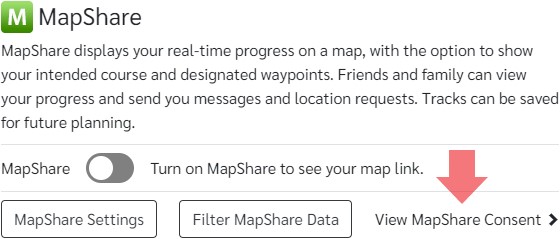
| 4. | Select View MapShare Consent:
|
| 5. | Click the checkbox to consent to the use of MapShare, then select Done. |
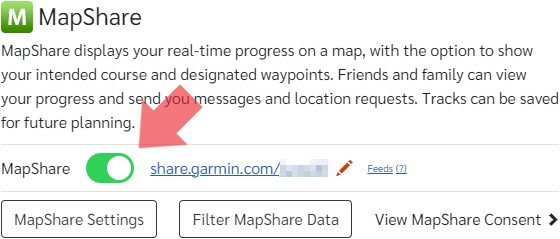
| 6. | Ensure MapShare is toggled on. Once toggled on, your MapShare link will be displayed.
|
| 7. | Send your MapShare link to weather@cohohoho.com using your device!A sample message might look like this:
"Hello! This is Sam Smith, on the boat s/v Tropics. My mapshare name is /svtropics.” |
| 8. | You will receive a message back from weather@cohohoho.com confirming receipt |